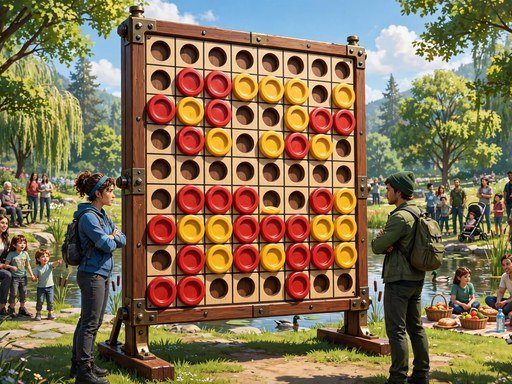
Connect Four Showdown 2P Comprehensive Review, Controls & High-Score Blueprint
The board is seven columns wide and six rows tall, the discs are red and yellow, and the goal has not changed since the game was first played on a kitchen table: get four of your discs in a row before your opponent does. Connect Four Showdown 2P on Dego is a local two-player game — two people, one screen, taking turns to drop discs into the columns — with a computer opponent waiting if you want to practise alone. Red goes first, discs fall to the lowest free space in the column you choose, and the first player to connect four in a row, horizontally, vertically, or diagonally, wins the showdown. A win as Red earns 200 points, and the AI mode offers three difficulties: Easy, Medium, and Hard.
Independently tested and verified on dego.my (Nov 2026). Sandboxed in modern HTML5 canvas with zero external app downloads, responsive input latency, and full cross-device compatibility.
How to Play
Red and Yellow take turns dropping discs into the seven columns. Tap a column, or press keys 1 to 7, to drop your disc into it — the disc falls to the lowest empty space in that column, and you cannot drop into a column that is already full. The first player to get four discs in a row wins: four across, four down, or four diagonally. If the board fills up with no winner, the game is a draw. The game is local two-player by default, which means both players share one screen and take turns, and there is no online play. Tap the AI button to switch to playing against the computer, where you are Red and the computer is Yellow, and tap the Difficulty button to cycle through Easy, Medium, and Hard. Easy plays mostly at random, Medium takes a winning move when it sees one, and Hard also blocks your winning moves. A win as Red earns 200 points.
Controls
On a keyboard, press 1 to 7 to drop a disc into that column, I to switch between two-player and AI mode, and the plus key to raise the AI difficulty. P pauses the game, M mutes the sound, and R restarts with an empty board and Red to play. On a phone or tablet, tap a column directly on the board to drop your disc there, and use the AI and Difficulty buttons to change modes. The canvas scales to fit your screen, the board stays square and readable, and the whole game runs inside your browser on Dego with nothing to install.
Strategy That Actually Wins Games
The most important habit in Connect Four is to look at the whole board before every move, not just the column you are about to play in. A win usually comes from building two threats at once — two different columns where you are one disc away from four in a row — because your opponent can only block one of them. The centre column is the most valuable square on the board, since it is part of more possible four-in-a-row lines than any other column, so controlling the centre early is almost always the right play. Watch for your opponent's threats as well: if Yellow has three in a row with an open space at one end, you must block it on your next move, or the game is over. The diagonal wins are the ones most players miss, so train yourself to look for them — a diagonal of three with an open end is just as dangerous as a horizontal one. Against the Hard AI, the game becomes a proper contest: it takes its own wins and blocks yours, so you need to build two threats at once to beat it.
Playing on Mobile and Desktop
On desktop the number keys make play fast, since you can drop a disc without moving the mouse. On mobile the tap controls are just as direct, and tapping a column drops the disc instantly. One tip for phone players: tap the top of the column you want, because the board is tall and a tap near the bottom can land in the wrong column. Sound is a soft clack for each disc, a chime when a player connects four, and a fanfare for the win, and M silences it instantly. A full game takes two to five minutes, and a lost game usually comes down to one threat you did not see — which is exactly why the game is worth replaying.
Why Four in a Row Never Gets Old
Connect Four Showdown 2P is a game about seeing the board. The rules take thirty seconds to learn, but the strategy takes years to master, because every disc you drop changes the board for both players. The local two-player mode is the heart of it: two people, one screen, taking turns, and the winner is the one who saw the winning line first. The AI mode gives you a way to practise alone, and the three difficulties mean there is always a harder opponent waiting when you are ready. A win as Red earns 200 points, and a win against the Hard AI is worth exactly the same — but it feels like much more. On Dego it is the classic board game in the set, and it rewards a careful eye more than fast fingers.
Frequently Asked Questions (FAQ)
Q: Is Connect Four Showdown 2P really two-player on one screen?
A: Yes. It is a local two-player game: Red and Yellow take turns on the same screen, tapping columns or pressing keys 1 to 7. There is no online play.
Q: How do I win?
A: Connect four of your discs in a row — horizontally, vertically, or diagonally. The first player to do it wins the showdown, and a win as Red earns 200 points.
Q: Can I play against the computer?
A: Yes. Tap the AI button to play against the computer, where you are Red and the computer is Yellow. Tap the Difficulty button to cycle through Easy, Medium, and Hard.
Q: What is the difference between the AI difficulties?
A: Easy plays mostly at random. Medium takes a winning move when it sees one. Hard also blocks your winning moves, so you need to build two threats at once to beat it.
Quick Controls Guide
Drop Disc: Tap a column or keys 1-7 • I: toggle AI mode • +: raise AI difficulty • Connect 4 to win • Pause: P • Mute: M • Restart: R